
People Finder AI Deep Search
LeoStudio Global Ltd.Lifestyle
3.9178.00 Reviews
- Version
- 1.2.8
- Installs
- 50.00K
- Age Rating
- Everyone
Screenshots
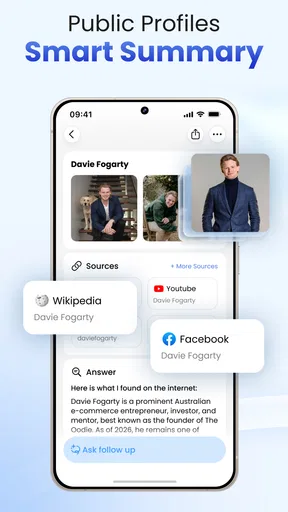
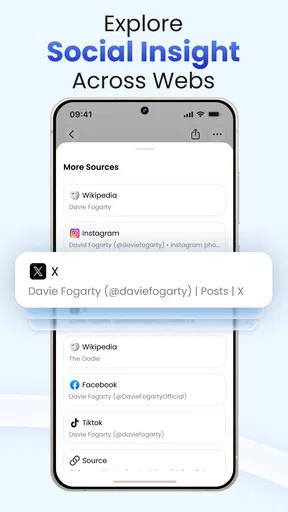
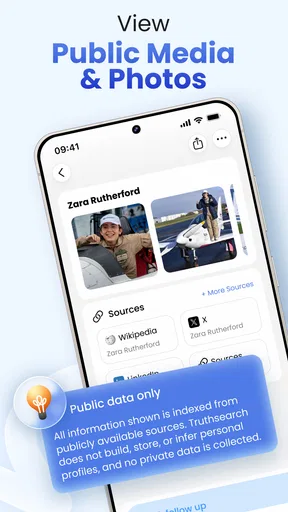
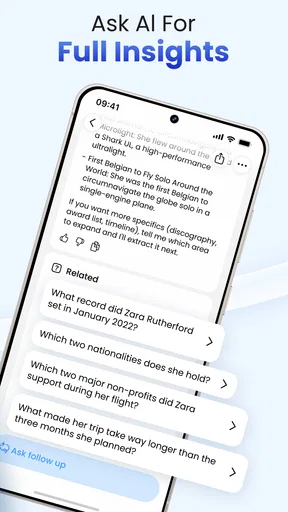
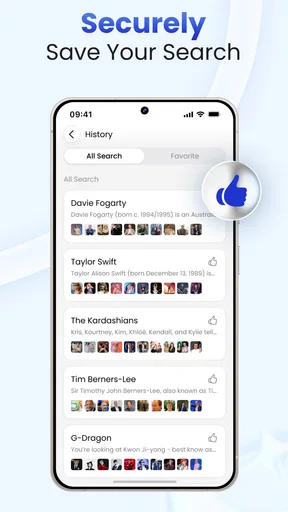
Our Review of People Finder AI Deep Search
 Analysis by Appyee
I approached People Finder AI Deep Search as a practical question rather than a novelty: when I need to locate a person or understand information that someone has made public, is an AI-powered people finder genuinely more useful than ordinary web searching, social networks, or a traditional directory? My answer is cautiously positive. This Lifestyle app from LeoStudio Global Ltd. can make an open-ended search feel more organized, but its usefulness depends heavily on the quality of the public information available and on how carefully I interpret the results.
The app is free to install, which makes trying it relatively easy, although its in-app purchases range from $6.99 to $69.99 per item. That price range matters because a free starting point does not automatically mean every meaningful search will remain free. I would treat it as a tool to evaluate gradually, not something to pay for before understanding what it can actually return for the people I am searching for.
What I would decide before using it
The first decision is whether my search has a legitimate, everyday purpose. People Finder AI Deep Search is best suited to reconnecting with an old acquaintance, checking publicly available information about a professional contact, or gathering scattered public clues about someone I already know. It is not a substitute for consent, direct communication, or official verification. Public information can be incomplete, outdated, duplicated, or attached to the wrong person.
I also look at the starting information I have. A full name by itself can produce too many possibilities, especially for common names. A city, workplace, school, approximate age, username, or other non-sensitive context can help me distinguish one person from another. The important habit is to use several harmless clues together rather than treating the first matching result as proof.
My third criterion is how much interpretation I am willing to do. The phrase “AI checker” may suggest a simple answer, but people-search work is rarely simple. An AI system can help organize public data and point me toward possible matches, yet I still need to compare details, notice contradictions, and avoid making personal decisions from uncertain material. For that reason, I see this app as a research assistant, not an authority.
How the search experience fits an ordinary situation
Imagine I am trying to reconnect with someone I knew several years ago. I remember the person’s name, the town where we met, and an old professional connection, but I no longer have a current phone number. Instead of opening many unrelated search tabs, I can use a people-finder workflow to bring the search into one place and examine public clues in a more deliberate order.
I would begin with the least identifying combination that can narrow the field, then compare the returned information against what I already know. If several details line up, I would treat that as a reason to investigate further, not as confirmation of identity. I would then check whether the information appears current and whether separate clues actually refer to the same person. This step is easy to skip, and it is where many people-search tools can become misleading.
A useful practical tip is to keep a small note of which clues are confirmed, which are merely possible, and which contradict one another. That simple separation prevents the search from turning into a story built around assumptions. It also makes the app more useful than a quick name lookup because I am evaluating evidence instead of collecting impressive-looking fragments.
Where the AI approach is genuinely helpful
The strongest idea here is not simply finding a name. It is reducing the effort involved in exploring public information that may be spread across different contexts. When I have a vague lead, an AI-assisted search can help me phrase the investigation more naturally than a series of rigid directory fields. That is particularly helpful when I know several pieces of background but do not know the exact wording used in public profiles.
I also appreciate the potential for a more guided search. Traditional search engines are powerful, but they often return broad pages, advertisements, unrelated people, and results that require manual filtering. A dedicated people finder sets a clearer purpose from the beginning. That focus can save time when my goal is specifically to identify a public trail rather than browse the wider web.
Another non-obvious strength is that the app encourages me to think in terms of connections between clues. A name, location, and professional context may each be weak alone but more useful together. I would still verify everything independently, but the combined view can help me decide which lead deserves attention and which one should be discarded.
The app’s broad audience also makes sense. It carries an Everyone content rating, so its presentation is not aimed at a narrowly defined professional group. In practice, that means a casual user can approach it without needing specialist research skills. The trade-off is that a general-purpose interface may not provide the depth, formal documentation, or investigative controls expected by researchers handling high-stakes work.
Limits I noticed in the concept and workflow
The biggest limitation is not necessarily the search box; it is the public web itself. If a person keeps a small online presence, uses a common name, or has outdated public records, the app may have little reliable material to work with. AI can summarize or connect available clues, but it cannot create trustworthy information where none exists.
False matches are another serious concern. Two people can share a name, live in nearby places, or have similar professional histories. I would never use a result from this app alone to accuse someone, make an employment decision, judge a personal relationship, or contact a person in an intrusive way. The more consequential the decision, the more important it becomes to use direct confirmation or an appropriate official source.
There is also a privacy and ethics trade-off that deserves attention. The fact that information is public does not mean every use of it is considerate. My rule would be simple: search for a reasonable purpose, use the smallest amount of information needed, and stop when the search becomes invasive. I would avoid entering sensitive details and would not treat the app as permission to expose someone’s private life.
The payment model adds friction. Because the app is free but includes purchases from $6.99 to $69.99 per item, I would read each purchase screen carefully and decide whether the expected value justifies the cost of that particular search. A single successful reconnection may feel worthwhile, while repeated searches for uncertain leads can become expensive quickly. I would set a personal spending limit before experimenting.
How it compares with familiar alternatives
Ordinary web search remains the better choice when I already know a public username, company page, article, or other precise reference. It offers breadth and may reveal context that a dedicated people-finder workflow does not emphasize. Its weakness is the amount of manual sorting required, especially when the search starts with limited information.
Social networks are often more useful when I want to contact someone through a profile they actively maintain. They can provide current posts or direct messaging options, but they depend on the person using that network and on the information being visible. They are less suitable when I only have scattered background clues and need help organizing an initial search.
Traditional directories or official databases are a better fit when the task requires formal, authoritative information. They may be more appropriate for verifying a business, professional license, or public institution, depending on the situation. I would choose those sources over an AI summary whenever accuracy has legal, financial, or safety consequences.
People Finder AI Deep Search sits between these options. It is more focused than a general search engine and potentially more flexible than a form-based directory, but it should not be confused with an official record service. Its advantage is convenience and guided exploration; its weakness is that convenience can make uncertain information feel more definite than it really is.
Small habits that make the app safer and more useful
I would use a staged workflow rather than entering every detail immediately. Start with broad, non-sensitive context, inspect the possible matches, and only refine the search when there is a clear reason. This reduces unnecessary exposure of personal information and helps reveal whether the initial results are genuinely relevant.
I would also compare the wording of results carefully. A confident-sounding AI explanation is not the same as independent confirmation. If the app presents several clues, I would ask whether they come from distinct contexts or whether they simply repeat the same unverified source. Repetition can look like corroboration even when it is not.
A further tip is to search with a stopping rule. For example, I might stop once I have enough information to send a respectful message through a known public channel. Continuing to collect more personal details after that point rarely improves the practical outcome and can cross an ethical line.
Finally, I would avoid using the app while emotionally charged. Searching for an ex-partner, a missing acquaintance, or someone involved in a disagreement can encourage confirmation bias. Writing down the exact question I am trying to answer before opening the app helps me distinguish a useful search from curiosity that is becoming intrusive.
Who should choose it, and who should look elsewhere
I can recommend this app to someone who wants a focused way to explore public information, understands that results need checking, and values a guided alternative to opening many general search pages. It is especially reasonable for low-stakes reconnection attempts and preliminary research about a public-facing person or professional identity.
I would steer away from it if the goal is to obtain private contact details, monitor someone without their knowledge, or make a serious decision based on a quick result. I would also choose a more authoritative source for legal, financial, employment, housing, or safety-related verification. In those situations, convenience is less important than provenance and accountability.
The app may also disappoint users who expect every search to produce a complete profile. Public visibility varies widely, and a polished interface cannot guarantee a useful match. Someone who only needs to find a known social profile may be better served by searching that platform directly. Someone who needs official documentation should begin with the relevant institution instead.
What switching to it really costs
Switching from ordinary search is not difficult in a technical sense, especially since the app is free to install and supports devices running Android 8.0 or later. The real cost is learning to interpret its output responsibly. I need to spend time checking identities, separating facts from suggestions, and deciding whether a paid search is justified.
The app is currently at version 1.2.8, and its presence has already reached more than fifty thousand installs. Its average rating is 3.9 from around one thousand ratings, with about one hundred seventy-eight written reviews. I read those figures as a sign of moderate interest rather than universal satisfaction: enough people are trying it to make the product worth considering, but not enough to remove the need for my own cautious testing.
Its release date, March 3, 2026, also places it in a relatively early stage of its life. That can be appealing if I want to see how the product develops, but it means I would keep expectations realistic. A newer app may improve its search experience over time, while its current strengths and rough edges may still be changing.
My recommendation after weighing the trade-offs
My final view is that People Finder AI Deep Search is worth trying for carefully defined, low-stakes searches involving public information. I like the focused purpose and the possibility of turning scattered clues into a more manageable research process. The app is most valuable when it helps me decide where to look next, not when I treat it as a final answer.
I would begin with the free experience, use minimal personal information, and test it with a search whose outcome does not affect anyone’s rights, safety, employment, or finances. Before buying anything, I would check exactly what the purchase provides and whether the current result quality justifies continuing. That approach keeps the cost of switching under control and prevents an uncertain search from becoming an expensive habit.
My clear recommendation is conditional: use it as a public-information discovery tool, never as unquestionable proof. If you want convenience and are comfortable verifying what you find, it can be a useful addition to your search routine. If you need authoritative records, direct social contact, or information that someone has not chosen to make public, a conventional search, an active social profile, or an official source is the better choice.
Verdict
Strengths of People Finder AI Deep Search
- Searches across multiple public data sources in one place.
- AI-assisted results can help narrow down broad searches.
- Useful for reconnecting with old friends or acquaintances.
- Simple interface makes searches quick to start.
- May reveal related public profiles and contact details.
Limitations of People Finder AI Deep Search
- Results may be incomplete, outdated, or linked to the wrong person.
- Some detailed reports or features may require payment.
- Search accuracy depends heavily on the information entered.
- Privacy concerns may arise when looking up other individuals.
- Availability and data coverage can vary by country.
Other Releases by LeoStudio Global Ltd.
View All
Star Gazer - Astronomy Sky Map
Education4.6

Smart Remote For Vizio TV
Tools4.6

AI Home Design Interior DECOZY
Art & Design4.6

Car Play Connect for Android
Auto & Vehicles4.3
Similar Picks in This Category
View All
SmartThings
Samsung Electronics Co., Ltd.4.6

Google Home
Google LLC4.0

Pinterest4.2

Astrotalk - Talk to Astrologer
Astrology & Horoscope4.7

My Verizon
Verizon Consumer Group4.5

Samsung Wallet (Samsung Pay)
Samsung Electronics Co., Ltd.4.1
Frequently Asked Questions
What is People Finder AI Deep Search, and what does it do?
People Finder AI Deep Search is presented as a people-search and information-discovery tool that may help users locate publicly available details about individuals. Depending on the platform, it can organize information from open sources such as public profiles, websites, or directories. Results should be treated as leads rather than verified records, because accuracy, coverage, and available information can vary significantly by person and location.
Is People Finder AI Deep Search free to use?
The app may offer limited searches or introductory features at no cost, but deeper searches, extended reports, or repeated lookups can require payment or a subscription. Before starting a search, carefully review the pricing screen, renewal terms, trial conditions, and cancellation instructions. Do not assume that downloading the app automatically means every search feature is free or that a trial will end without billing.
Is it legal and safe to search for someone with this app?
Using publicly available information is not automatically illegal, but the way search results are used matters. Avoid harassment, stalking, discrimination, impersonation, or making decisions about employment, housing, credit, or personal safety based only on an app report. Review the app’s privacy policy and local laws, and remember that collecting or sharing someone’s personal information without a legitimate reason may create legal and ethical problems.
How accurate are the search results and reports?
People Finder AI Deep Search cannot guarantee that every result belongs to the correct individual or that the information is current. Names can be shared by many people, records may be incomplete, and automated systems can connect unrelated profiles. Confirm important details through reliable, authoritative sources and treat matches, contact information, age estimates, and social profiles as unverified until independently checked.
What personal information does the app collect, and can I request removal?
Before using the service, check its privacy policy and the permissions requested by the Android or iOS version. People-search tools may process search terms, device data, account details, location information, or usage activity, while results can come from public or third-party sources. Look for an official privacy contact, opt-out process, or removal request procedure if you want information corrected or taken down.
